
Transforming Artificial Intelligenceinto Array Intelligence Serious AI Research LiesBeyond the Chat
Generate, validate, and maintain entire research datasets — and verify any document's claims.
Two problems. One suite.
Verified information at scale — whether you're building research from scratch or checking work that already exists.
Same questions, dozens of entities — trials, companies, stocks, papers. Manual takes days; one AI prompt can't span 50 rows and 24 columns, and you can't verify what it tells you.
An AI report, manuscript, or document full of claims. Which are accurate, which are hallucinated, which lack context? Reading every source yourself isn't feasible.
Start free · $20 credit on new accounts · No credit card required

Subindex generates, validates, and maintains research datasets.
Give it a prompt or an existing spreadsheet. It returns a fully verified research matrix — every cell sourced, every answer color-coded by confidence.
How is Subindex different from research agents like ChatGPT, Claude, and Perplexity?
Five things every table gives you
Not just retrieved answers — validated, auditable, and kept current.
Three ways to use it
Every path starts with a free 3-row preview before you pay anything.
Explore Subindex
Open any section to see it in detail.
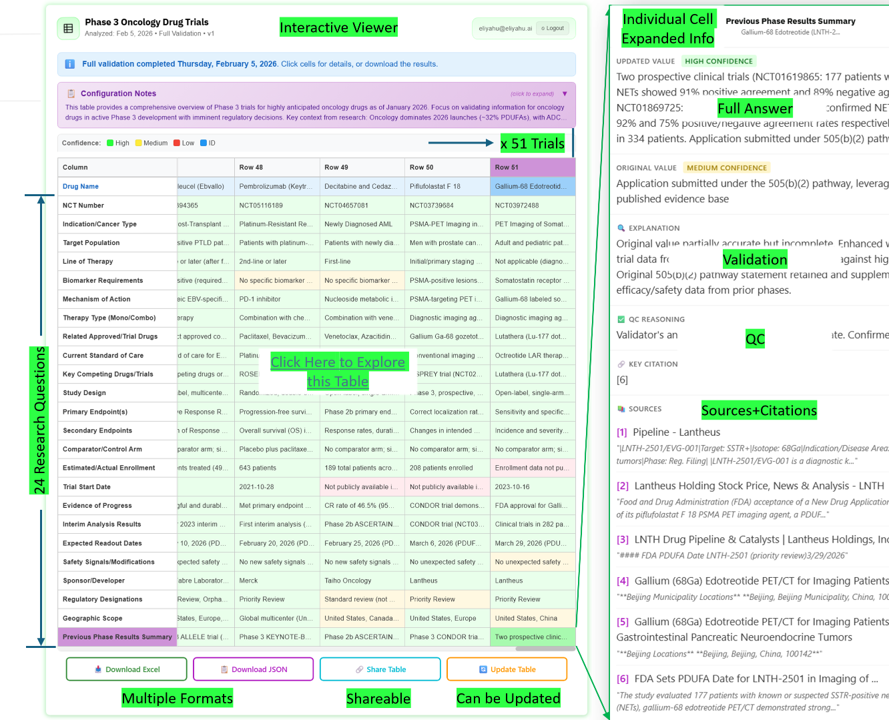
A real run — one prompt, a fully verified datasetSee the example
An actual Subindex run, end to end — open the live table and explore it yourself.
Prompt: "I need a comprehensive overview of highly anticipated Phase 3 oncology trials"
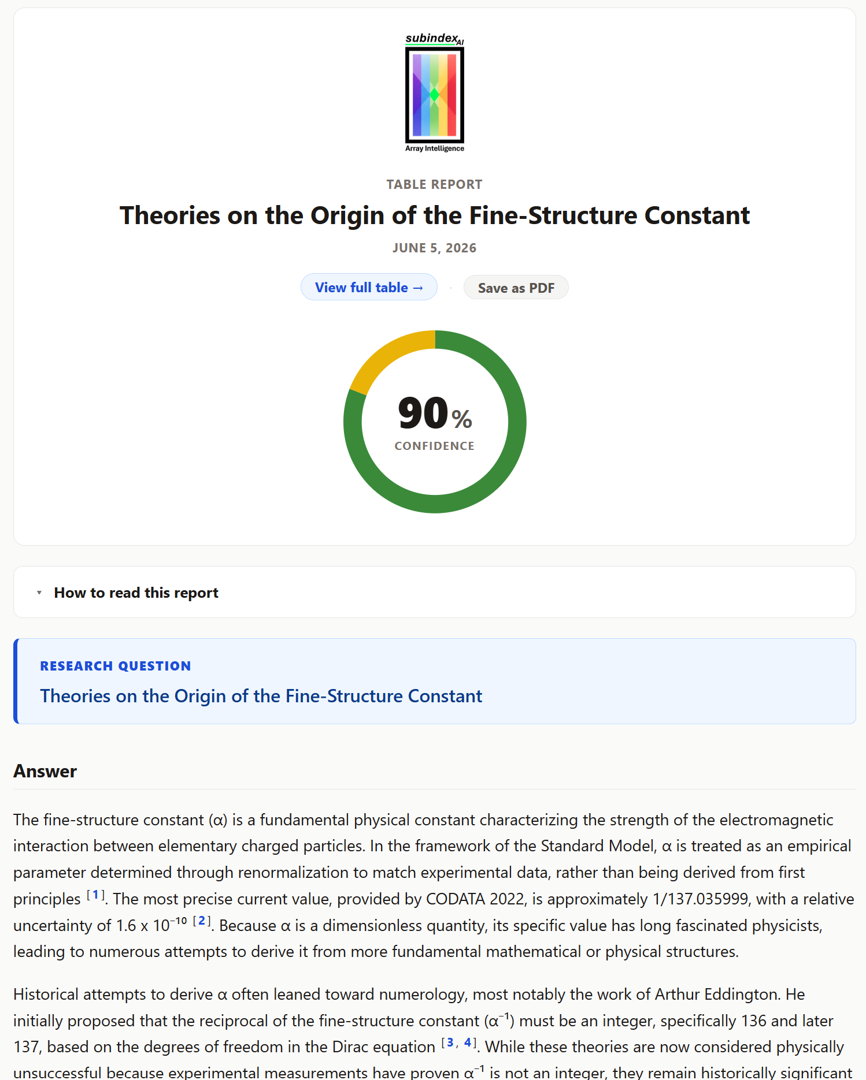
The report — every table ships with a Validation ReportPreview the report
A self-contained, shareable report on top of every finished table. One Confidence donut headlines reliability — a cell-weighted score across every column. Below it: an agentic synthesis with inline citations, the strongest evidence, the caveats, and a numbered reference list — each citation deep-linking back to the exact cell in the viewer.
Open in the browser, Save as PDF, or share a public link.
How it compares — the FindAll benchmarkSee the benchmark
On a six-query set-finding benchmark, Subindex's web engine recovers far more of the true answer set than every tier of Parallel.ai FindAll — in minutes, not hours, and at a fraction of the cost. Every figure is auditable down to the individual entity.
How to get startedShow the steps
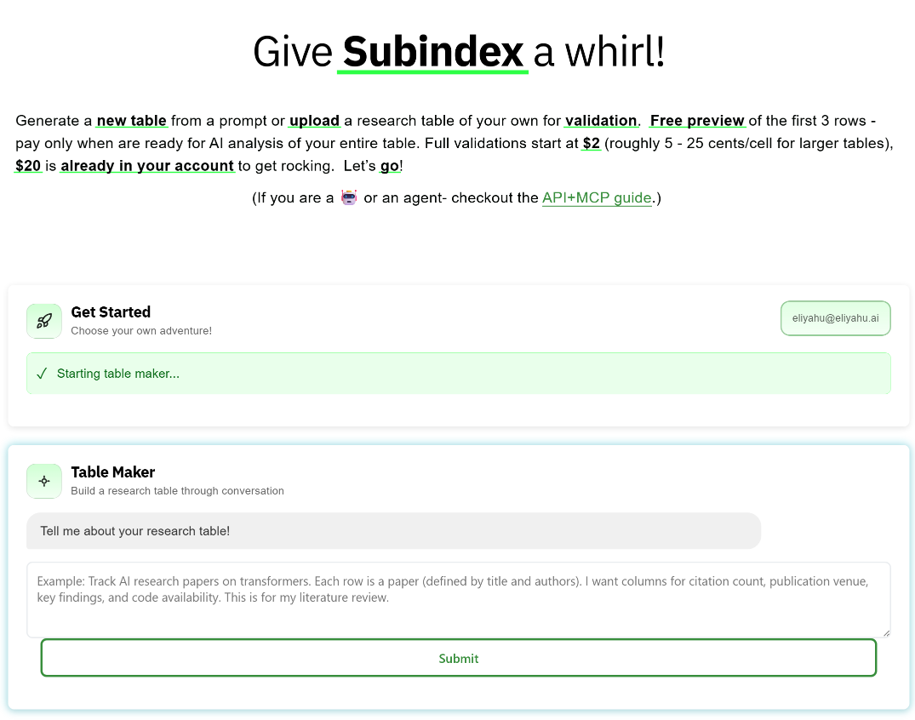
Go to subindex.ai/app. Login is triggered on first use — interact with the tool and you'll be prompted to enter your email and verify with a 6-digit code. New accounts start with $20 in free credit.
Create a table from a prompt, or upload a spreadsheet to validate. Either way, a short AI conversation pins down scope, entities, and columns before anything is built.
Always free. Check quality, confidence color-coding, and source citations before committing to the full run.
Approve to generate the full table, or give plain-language feedback and the AI re-previews. Repeat until it's right.
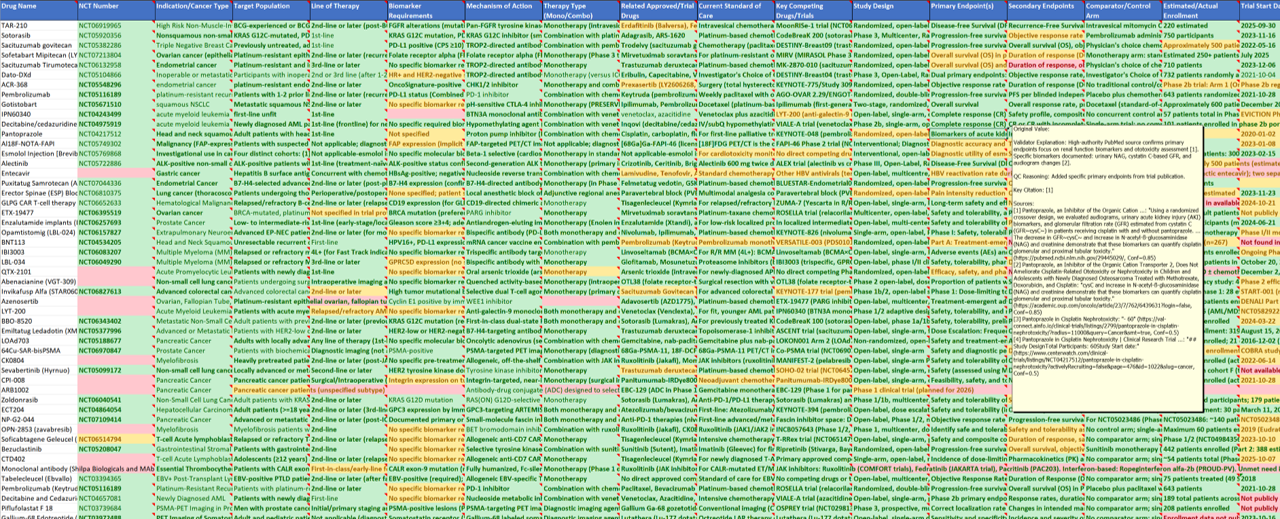
Outputs & formatsSee the formats
Every finished table travels in the formats you already work in — and stays linked back to the live viewer.

Chex — verify every claim in a document
The same validation engine, pointed at any document's claims. Paste an AI output, manuscript, or report — Chex extracts every factual claim and checks each one independently, confidence-rated, cited, and auditable.
Explore Chex
Open any section to see it in detail.
How Chex worksSee how it works
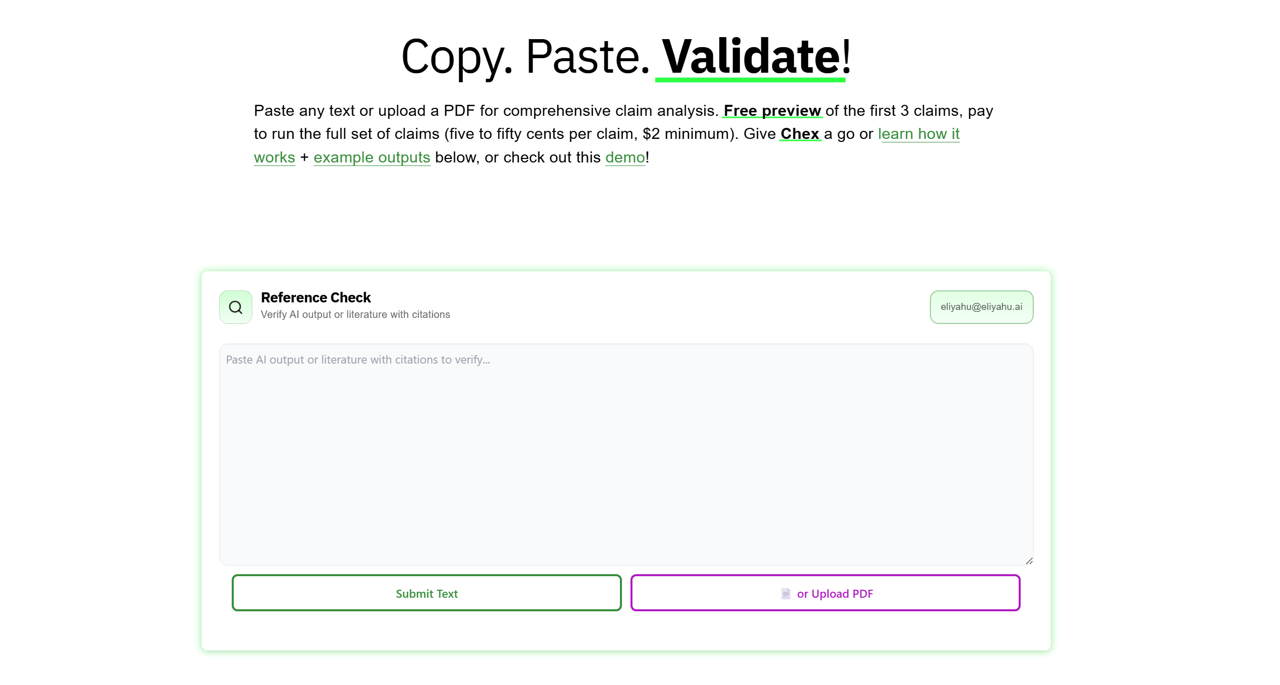
Any AI output, manuscript, report, or document. Chex extracts every factual claim automatically.
Check confidence color-coding, qualified facts, and source citations before committing. No credit card required.
Results arrive as a structured table. Click any claim for the full evidence trail — explanation, QC reasoning, and numbered sources with direct quotes.
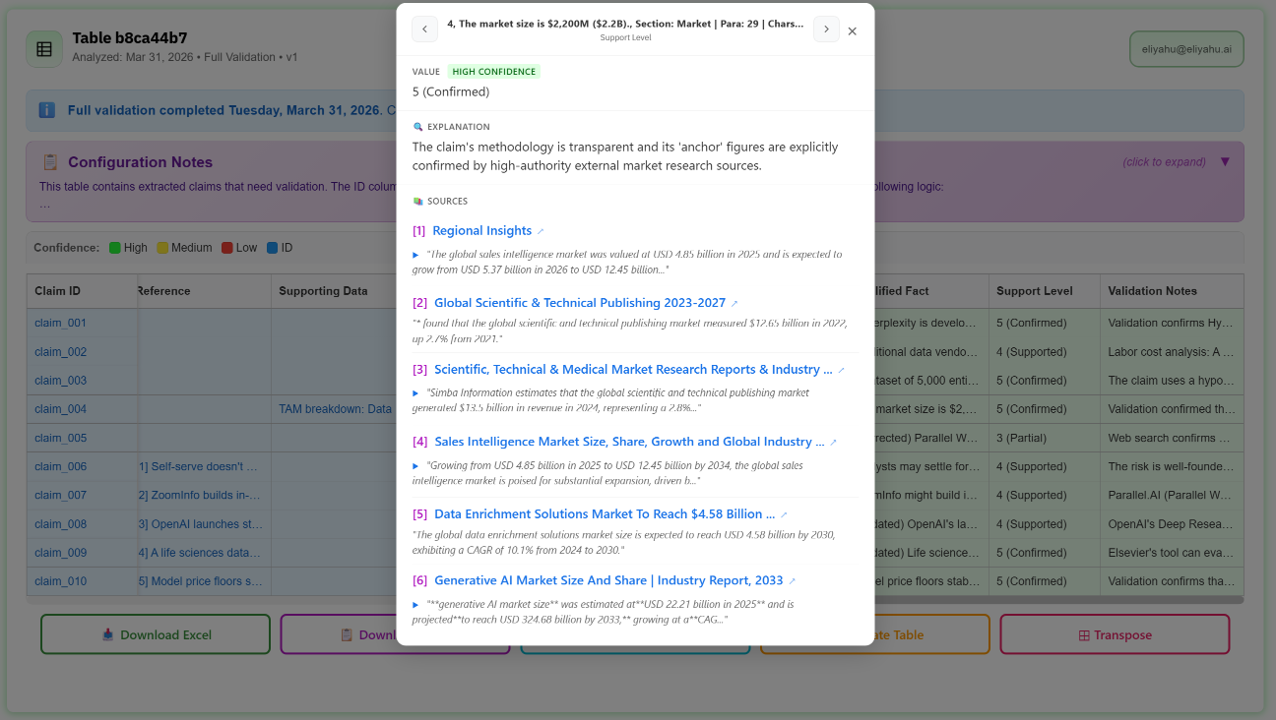
Each row is a verified claim — click any row for the qualified fact, confidence rating, explanation, and numbered citations with direct quotes.
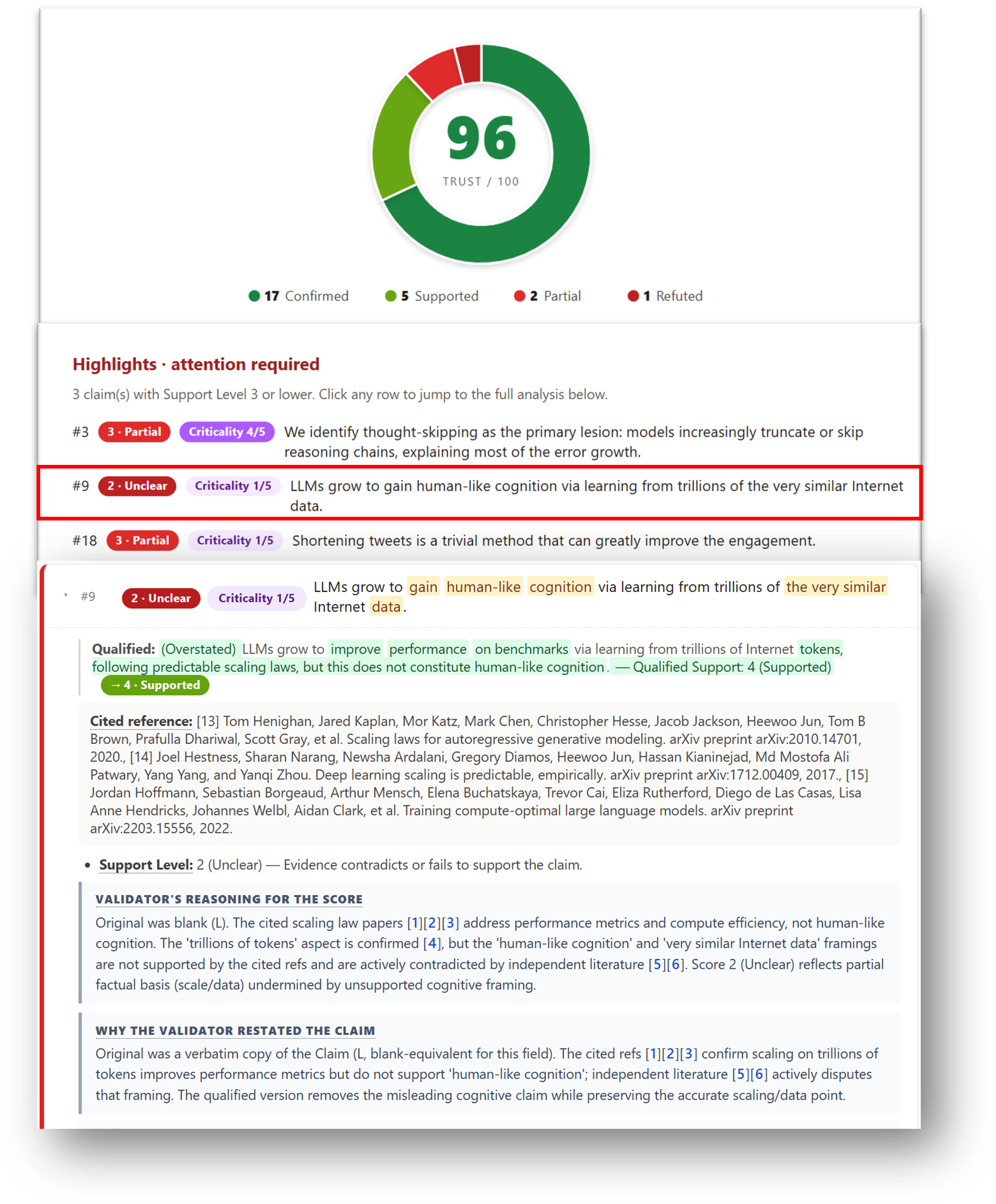
The report — Chex reports a Trust score for the whole documentPreview the report
A criticality-weighted Trust donut headlines how well the document holds up. An attention required list surfaces the weakest claims first, and every claim carries its full evidence trail — the validator's reasoning, an independent QC pass, and numbered sources with direct quotes.
Shareable and printable, same as the table report.
Everything else, one click away
Pricing, developer access, and your account — open what you need.
PricingPreview free · ~$0.05–0.25/cell · $2 min · $20 free credit
Preview free, pay on approval — the same model for both tools.
| Tier | Subindex (per cell) | Chex (per claim) |
|---|---|---|
| Preview (first 3) | Free Always free | Free Always free |
| Standard | ~$0.05 / cell | ~$0.05–0.50 / claim |
| Advanced | ~$0.25 / cell | — |
| Minimum per run | $2.00 | $2.00 |
| New account credit | $20 Shared across both tools | |
Developer & API accessSee API access
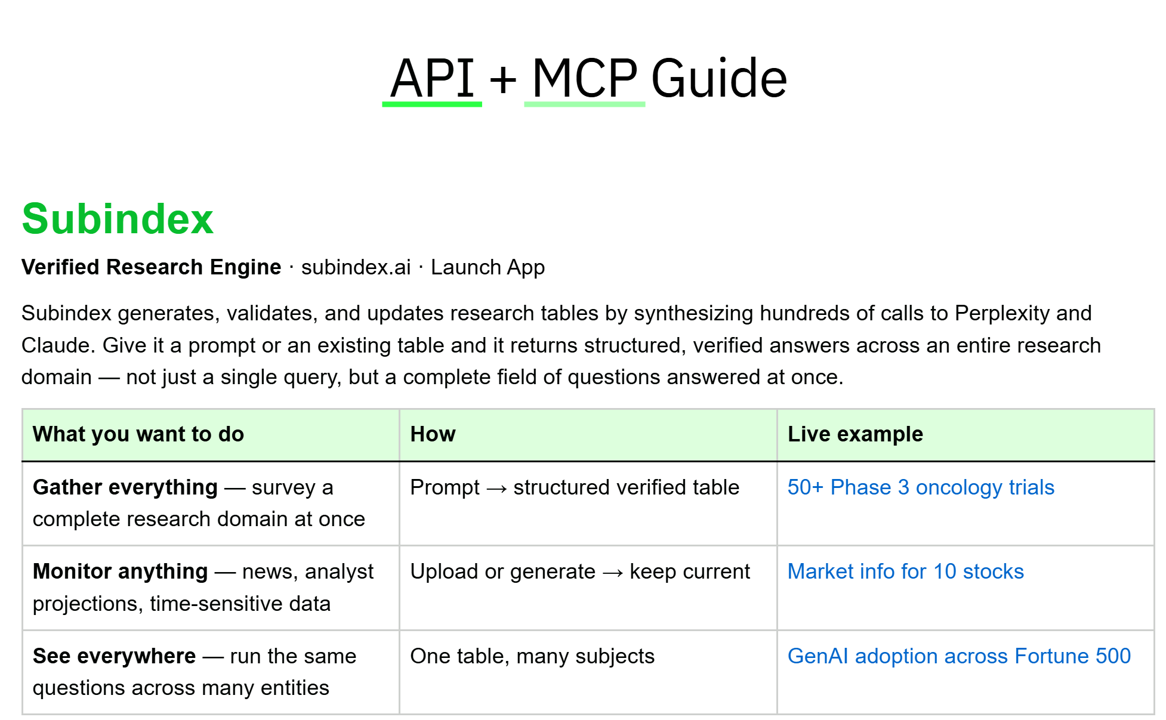
Subindex and Chex are also available via REST API and Claude MCP for automated workflows and batch processing.
Your accountManage account
Shared across both Subindex and Chex. Click your email in the top-right corner of the first card, or go directly to subindex.ai/account.

